 Software
On Thursday, November 12, 2026, at midday in Mexico, thousands of companies lost their email. Microsoft 365 started failing: Outlook would not open mailboxes, Copilot did not respond and several Teams functions stopped working. It took Microsoft more than a day to restore service. It was not an attack. It was a change in its own network, and that is exactly the lesson.
In short
The Microsoft 365 outage began on November 12, 2026, and lasted about 30 hours, according to Microsoft's closing notice. It mainly hit Outlook email, along with Copilot, SharePoint and parts of Teams; Teams calls and chat kept working. Microsoft ruled out a cyberattack and, on a preliminary basis, pointed to a capacity upgrade on its network. For a company, the lesson is to have a plan for working a day without its main provider.
When a service used by millions of companies fails, the first thought is an attack. This time it was not. And that makes it more useful as a case: it shows that even the largest provider can come to a halt because of its own mistake.
What happened
The main failure began on Thursday, November 12, at 18:26 UTC. In central Mexico it was 12:26 p.m. An earlier incident affecting email had opened two hours before.
At first Microsoft placed it in the Americas. It later widened the notice to any region of the world.
Recovery was slow and uneven. That same afternoon, Microsoft reported "limited recovery" after bringing some servers back. Overnight it reported positive results after restarting them. By the next midday the improvement was visible in Europe. Microsoft declared service restored on Friday, November 13, at 16:10 UTC (10:10 a.m. in central Mexico). In its closing notice it set the start of the impact at 10:05 UTC on Thursday, several hours before its first public notices: about 30 hours in total. Some outlets place full recovery in the early hours of Saturday the 14th.
What stopped working and what did not
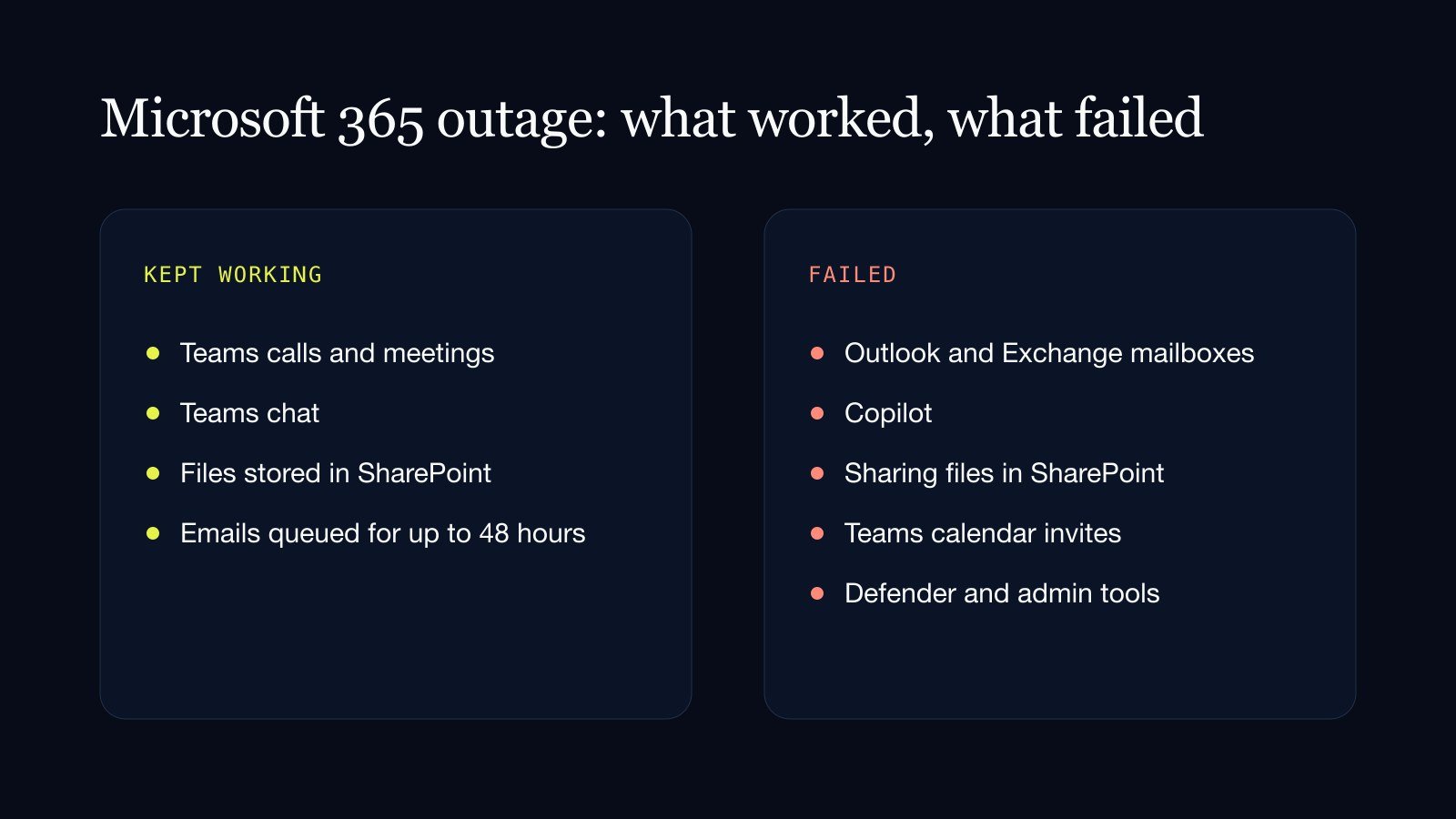
The hardest hit was email:
- Outlook and Exchange Online: mailboxes could not be reached from the web, the desktop app or mobile. Emails could arrive late.
- Copilot: Microsoft's AI assistant might not load or answer.
- SharePoint: sharing files with people outside the company could fail.
- Teams, in part: calendar invites and some channel actions could fail.
- Security and admin tools, such as Defender, also had problems.
What kept working matters just as much:
- Teams calls, meetings and chats were not affected, according to Microsoft.
- Files stored in SharePoint could still be opened.
- Emails were not lost. Microsoft extended the delivery timeout to 48 hours.
One practical point: switching apps did not help. Microsoft listed every way of reaching Outlook as affected. Its recommendation was not to sign out, clear app data or reinstall.
What caused it
Microsoft ruled out a cyberattack early on. It said there was no indication of malicious activity and, later, that it was a technical issue unrelated to attacks or to artificial intelligence.
Its most recent explanation points to an issue during a capacity upgrade to its network, which surfaced after a recent change to that same network. Overnight it began reverting that change.
That explanation is still preliminary, although Microsoft kept it in its closing notice. It promised a preliminary report within two business days and the final one within five; as of November 14 it had not been published. And on whether Azure, its cloud service, was also affected, the sources disagree: the official notices do not include it, so we treat it as unconfirmed.
How big it was
There are no official figures for affected companies or users. The available reference is Downdetector, a site where people report failures: it logged about 130,000 Outlook reports at its peak. These are reports submitted by users, not a count of those affected, so the real number is higher.
No source has specific data for Mexico. But the failure began at midday on a Thursday in central Mexican time, in the middle of the working day.
What it teaches your business
An outage like this is no reason to leave the cloud or switch providers. Every large provider fails at some point. It is a reason to ask one question: what would your company do tomorrow if its main tool would not open?
- Have a second channel already agreed. If email goes down, how does the team get word? A WhatsApp group or a phone number defined in advance solves the first hour, which is the most chaotic.
- Identify what cannot wait. Not everything is urgent. The day's quotes, orders, collections, customer service. For those processes it helps to know how to operate by hand for a few hours.
- Do not depend on a single provider for everything. If email, files, meetings and the AI assistant live on the same platform, one failure stops them together. Having at least one piece elsewhere gives you room.
- Keep copies of the essentials elsewhere. Customer contacts, current contracts, the team directory. A copy in another service or downloaded keeps you from being blind.
- Review your automations. If an agent or an automated flow depends on email or on a service that went down, it should know how to wait and retry, not lose the information.
That last point is the one most often forgotten. At Vilo AI Studio we design agents and automations so that, if a system does not respond, they hold what is pending and pick it up when it comes back.
See Vilo AI Studio's process automation service.
Sources
- Microsoft notice MO1550821, as reproduced by Serv365
- Microsoft service health status page
- BleepingComputer
- Petri
- CNBC
- XDA
- Cybersecurity News
- Help Desk Geek
- Azure Blog UK (an independent blog that compiles Microsoft's notices)
If your email would not open for a whole day tomorrow, how would your team find out what to do?
Get in touch Artificial intelligence
 Artificial intelligence